Workflow Automation in 2026: The Complete Guide (With 50+ Examples, Tools & ROI Data)
What Is Workflow Automation?
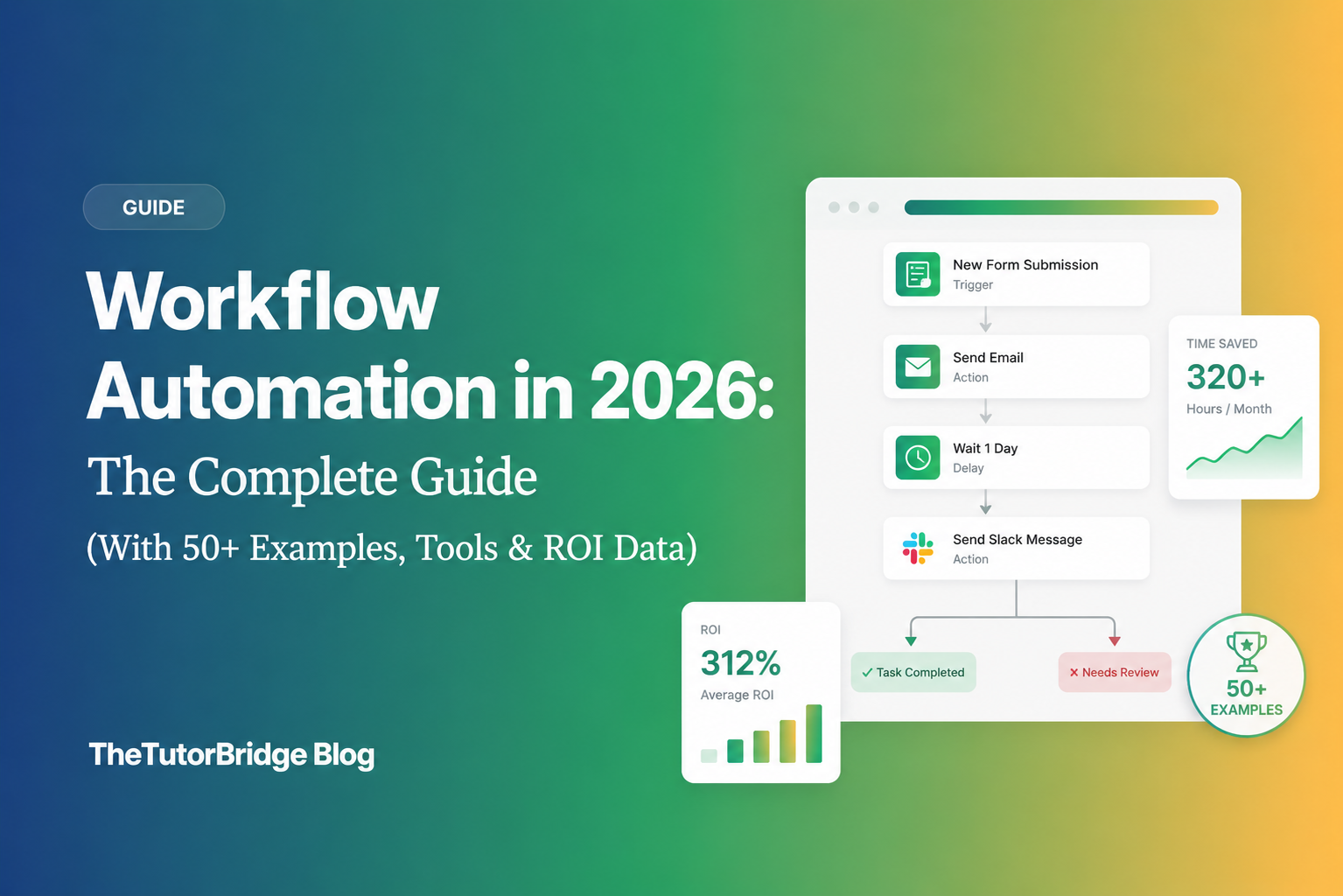
Workflow automation is the process of using technology to perform repetitive tasks and processes automatically, without manual human intervention. It follows a simple logic: when something happens, then do something else.
For example:
- When a customer fills out a contact form → Then add them to your CRM and notify the sales team
- When an invoice is approved → Then send payment and update the accounting system
- When a new employee is hired → Then create accounts, send welcome emails, and schedule onboarding
In 2026, workflow automation has evolved far beyond simple if-then triggers. Modern platforms now incorporate AI that can make decisions, handle exceptions, and even learn from outcomes to improve over time.
The bottom line: Workflow automation eliminates the tedious, repetitive work that consumes your day, letting you focus on tasks that actually require human judgment and creativity.
Workflow Automation Statistics: The Numbers That Matter in 2026
Before diving into how workflow automation works, let's look at why it matters. These statistics tell the story:
Market Size & Growth
| Metric | Value |
|---|---|
| Global market size (2025) | $23.77 billion |
| Projected market size (2030) | $78 billion |
| Annual growth rate (CAGR) | 19.5% |
| Organizations with automation deployed | 60% |
| Organizations planning to increase investment | 80% |
ROI & Productivity Impact
The return on investment for workflow automation is substantial and well-documented:
- 248% three-year ROI documented by Forrester for Microsoft Power Automate deployments
- 214% three-year ROI for finance and accounting automation specifically
- 60% of organizations achieve positive ROI within 12 months
- 25-30% productivity increase in automated processes
- 30-50% faster workflow execution
- 20-40% cost reduction in automated departments
- Up to 70% fewer errors compared to manual processes
The Problem Automation Solves
- 94% of workers perform repetitive, time-consuming tasks that could be automated
- 67% of knowledge workers spend over 3 hours daily on manual coordination tasks
- 40% of productivity is lost to task-switching and manual data entry
These numbers explain why workflow automation isn't optional anymore — it's a competitive necessity.
Workflow vs. Process: Understanding the Difference
Before automating, you need to understand what you're automating. Many people use "workflow" and "process" interchangeably, but they're different:
| Aspect | Process | Workflow |
|---|---|---|
| Definition | What needs to be done | How it gets done |
| Scope | Broad business objective | Specific steps and actions |
| Example | "Bill the client" | "Generate invoice in QuickBooks → Send via email → Log in CRM → Schedule follow-up" |
| Focus | Outcome | Execution |
A process is the high-level goal: onboard a new customer, process a refund, publish a blog post.
A workflow is the specific sequence of steps, tools, and handoffs required to complete that process.
When you automate workflows, you're automating the how — the specific actions that move work from one stage to the next across your tools and team members.
Why Invest in Workflow Automation? 7 Compelling Benefits
1. Reclaim Hours Every Week
The average knowledge worker spends 3+ hours daily on manual coordination. Automation reclaims this time immediately.
Real example: Calendly's team saves 10 hours weekly through automated scheduling workflows. That's 520 hours per year — equivalent to 13 full work weeks returned to strategic work.
2. Eliminate Human Error
Manual data entry has an error rate of 1-4%. At scale, these errors compound into significant problems: incorrect invoices, missed follow-ups, compliance violations.
Automated workflows execute identically every time. Organizations report up to 70% reduction in errors after implementing automation.
3. Scale Without Proportional Headcount
When you automate workflows, you can handle 10x the volume without 10x the staff. This is how small teams compete with larger organizations.
Real example: Hudl saves $12,000-$15,000 annually and decreased average handle time by 21.5% through customer service automation.
4. Improve Response Times
Automated workflows execute in seconds. When a lead fills out your form, they can receive a personalized response, be added to your CRM, and have a sales rep notified — all within 60 seconds.
Manual processes can't match this speed. And in competitive markets, response time directly impacts conversion rates.
5. Ensure Consistency and Compliance
Every customer gets the same onboarding experience. Every expense follows the same approval chain. Every document goes through the same review process.
This consistency is critical for compliance-heavy industries like healthcare, finance, and legal services.
6. Free Your Team for High-Value Work
The work that drives growth — strategy, creativity, relationship-building — requires human judgment. But most teams spend their days on tasks that don't.
Automation handles the repetitive work so humans can focus on what humans do best.
7. Gain Visibility Into Operations
Automated workflows generate data. You can see exactly how long each step takes, where bottlenecks occur, and which processes need optimization.
This visibility is impossible with manual, ad-hoc processes scattered across email and spreadsheets.
Who Benefits from Workflow Automation? Use Cases by Department
Workflow automation isn't limited to tech companies or large enterprises. Every department in every organization has repetitive processes that benefit from automation.
Marketing Operations
The problem: Marketing teams juggle dozens of tools and manually move data between them. Lead routing is slow, campaign tracking is fragmented, and reporting requires hours of spreadsheet work.
Automation impact: Organizations report 14.5% productivity boost and 12.2% reduction in marketing spend through automation. 83% of marketing departments now automate social media posting.
| Workflow | Trigger | Automated Actions |
|---|---|---|
| Lead capture | Form submission | Add to CRM → Tag based on source → Notify sales → Start email sequence |
| Social media | New blog post | Create social posts → Schedule across platforms → Track engagement |
| Campaign reporting | Weekly schedule | Pull data from all platforms → Generate report → Send to stakeholders |
| Webinar follow-up | Attendee registers | Send confirmation → Add to nurture sequence → Create CRM task |
Real example: Moneytree increased marketing project speed by 75% and saves 1.5 hours weekly on report generation through workflow automation.
Sales Department
The problem: Sales reps spend only 35% of their time actually selling. The rest goes to administrative tasks: data entry, research, scheduling, and updating the CRM.
Automation impact: Sales teams achieve positive ROI within 3-6 months, save 2-3 hours daily per rep, and see 40-60% improvement in qualified meeting rates.
| Workflow | Trigger | Automated Actions |
|---|---|---|
| Lead assignment | New lead created | Score lead → Route to appropriate rep → Create task → Send alert |
| Meeting prep | Meeting scheduled | Research company → Pull recent interactions → Generate briefing doc |
| Pipeline updates | Deal stage change | Update CRM → Notify team → Trigger appropriate email sequence |
| Proposal generation | Request received | Pull customer data → Populate template → Send for review → Track opens |
AI enhancement in 2026: Sales teams now run AI workflows in the background to have complete company snapshots ready before calls, replacing hours of manual research.
Human Resources
The problem: HR teams drown in paperwork. Onboarding a single employee involves dozens of tasks across multiple systems: creating accounts, sending documents, scheduling training, notifying managers.
Automation impact: HR is one of the highest-ROI automation use cases because onboarding, performance cycles, and leave management all share the cross-functional, rule-based patterns that make automation most effective.
| Workflow | Trigger | Automated Actions |
|---|---|---|
| Employee onboarding | New hire record created | Create user accounts → Send welcome email → Provision hardware → Schedule orientation → Notify manager |
| Time-off requests | Request submitted | Route to manager → Send reminder if pending → Update calendar → Adjust workload |
| Performance reviews | Quarterly schedule | Send self-assessment → Collect peer feedback → Generate summary → Schedule meeting |
| Offboarding | Termination processed | Revoke access → Archive files → Send exit survey → Process final pay |
Finance & Accounting
The problem: Finance teams manually process invoices, chase approvals, reconcile expenses, and generate reports. These processes are error-prone and time-consuming.
Automation impact: Finance and accounting automation delivers 214% three-year ROI — the highest of any department.
| Workflow | Trigger | Automated Actions |
|---|---|---|
| Invoice processing | Invoice received | Extract data with AI → Validate against PO → Route for approval → Schedule payment |
| Expense management | Expense submitted | Check policy compliance → Route to approver → Process reimbursement → Update GL |
| Accounts receivable | Invoice sent | Track payment status → Send reminders at intervals → Escalate if overdue |
| Financial reporting | Month-end | Aggregate data → Generate reports → Distribute to stakeholders |
AI enhancement in 2026: AI now extracts data from unstructured documents (scanned receipts, PDF invoices) with 95%+ accuracy, eliminating manual data entry entirely.
Customer Service & Support
The problem: Support teams handle repetitive inquiries that follow predictable patterns. Ticket routing is slow, and customers wait for answers that could be automated.
Automation impact: Intercom's Fin AI agent handles 50%+ of customer questions autonomously. Tidio reports 67% autonomous resolution rates.
| Workflow | Trigger | Automated Actions |
|---|---|---|
| Ticket routing | New ticket created | Analyze content → Categorize → Assign to appropriate agent or AI |
| Status updates | Ticket stage change | Update customer → Notify relevant team members → Log activity |
| Knowledge base | Common question detected | Search knowledge base → Suggest articles → Escalate if unresolved |
| Customer feedback | Case closed | Send satisfaction survey → Log response → Alert if negative |
IT Operations
The problem: IT teams spend hours on routine tasks: account provisioning, password resets, software installations, and system monitoring.
Automation impact: IT automation reduces manual intervention by 40-60% and improves incident response times significantly.
| Workflow | Trigger | Automated Actions |
|---|---|---|
| Account provisioning | New employee | Create accounts across systems → Set permissions → Generate credentials |
| Password reset | Request submitted | Verify identity → Reset password → Send secure notification |
| System alerts | Anomaly detected | Create incident → Page on-call → Start diagnostic → Escalate if unresolved |
| Software deployment | Approval granted | Download package → Install on target systems → Verify → Report status |
Project Management
The problem: Project managers spend hours on status updates, report generation, and chasing task completion. These administrative tasks detract from actual project leadership.
| Workflow | Trigger | Automated Actions |
|---|---|---|
| Status reports | Weekly schedule | Pull task data → Generate summary → Send to stakeholders |
| Task assignment | New task created | Assign based on workload → Set deadline → Send notification |
| Deadline reminders | Due date approaching | Notify assignee → Escalate if overdue → Update project timeline |
| Meeting notes | Meeting ended | Transcribe recording → Extract action items → Create tasks → Distribute summary |
50+ Workflow Automation Examples You Can Implement Today
Here are specific, actionable workflow automation examples organized by function. Each can be implemented with modern automation tools in minutes to hours.
Lead Generation & Marketing (10 Examples)
- Lead capture to CRM: Form submission → Add to CRM → Tag source → Start nurture sequence
- Webinar registration: Sign-up → Send confirmation → Add to segment → Reminder sequence
- Content promotion: New blog post → Create social posts → Schedule across platforms
- Ad lead sync: Facebook Lead Ad → Add to CRM → Notify sales → Start follow-up
- Email list hygiene: Bounce detected → Remove from list → Update CRM → Alert team
- UTM tracking: Any conversion → Parse UTM → Attribute to campaign → Update dashboard
- Review requests: Purchase completed → Wait 7 days → Send review request → Log response
- Competitor monitoring: Brand mention → Analyze sentiment → Alert team → Log for analysis
- Newsletter automation: Content approved → Format for email → Schedule send → Track opens
- Event follow-up: Event attended → Send thank you → Add to sequence → Create sales task
Sales & CRM (10 Examples)
- Lead scoring: New lead → Analyze firmographics → Calculate score → Route accordingly
- Meeting scheduling: Interest expressed → Send calendar link → Confirm booking → Prep docs
- Proposal automation: Request received → Generate from template → Send for signature → Track
- Win/loss logging: Deal closed → Update pipeline → Notify team → Log reason → Update forecasts
- Contract renewal: Renewal date approaching → Alert account manager → Generate proposal → Track
- Commission calculation: Deal won → Apply commission rules → Generate report → Process payment
- Competitive intelligence: Competitor mentioned → Log in database → Alert sales team
- Quote generation: Product selected → Calculate pricing → Generate quote → Send to prospect
- Lost deal re-engagement: Deal lost → Wait 90 days → Check company signals → Re-engage if relevant
- Sales activity logging: Call completed → Log in CRM → Update last contact → Schedule follow-up
Customer Success (8 Examples)
- Onboarding sequence: Account created → Send welcome → Schedule kickoff → Assign CSM
- Health score alerts: Score drops → Alert CSM → Create task → Start intervention sequence
- Renewal preparation: Renewal in 90 days → Pull usage data → Generate summary → Alert CSM
- Feature adoption: Feature unused → Send educational content → Offer training → Track engagement
- NPS follow-up: Survey completed → Route by score → Thank promoters → Address detractors
- Churn prevention: Cancellation requested → Alert team → Send retention offer → Log reason
- Success milestone: Usage milestone reached → Celebrate with customer → Share case study opportunity
- Expansion signals: Usage spike → Identify opportunity → Alert sales → Prepare proposal
Operations & Finance (12 Examples)
- Invoice generation: Order completed → Generate invoice → Send to customer → Log in accounting
- Expense approval: Expense submitted → Check policy → Route to approver → Process if approved
- Vendor payment: Invoice approved → Schedule payment → Send confirmation → Update records
- Budget alerts: Spend threshold reached → Alert manager → Generate report → Pause if needed
- Payroll processing: Pay period ends → Calculate pay → Generate stubs → Process deposits
- Audit trail: Sensitive action taken → Log details → Store securely → Generate compliance report
- Purchase orders: Request approved → Generate PO → Send to vendor → Track fulfillment
- Inventory alerts: Stock low → Notify purchasing → Generate reorder → Track delivery
- Contract management: Contract signed → Store in repository → Set renewal reminder → Track obligations
- Financial reconciliation: End of day → Match transactions → Flag discrepancies → Generate report
- Tax document collection: Year end → Request W-9s → Track submissions → Generate 1099s
- Cash flow forecasting: Weekly → Aggregate AR/AP → Generate projection → Alert if issues
HR & People Operations (10 Examples)
- Job posting: Position approved → Post to job boards → Track applications → Update hiring team
- Interview scheduling: Candidate selected → Send availability → Schedule interviews → Send prep
- Offer letter: Decision made → Generate letter → Send for signature → Track acceptance
- Equipment provisioning: Start date set → Order equipment → Schedule delivery → Track setup
- Benefits enrollment: Eligibility date → Send enrollment link → Process selections → Confirm coverage
- Performance review cycle: Cycle starts → Send assessments → Collect feedback → Schedule meetings
- Training assignment: Role change → Identify required training → Assign courses → Track completion
- PTO balance alerts: Balance low → Notify employee → Suggest vacation → Log acknowledgment
- Anniversary recognition: Anniversary date → Send recognition → Notify manager → Update records
- Exit interview: Termination processed → Schedule interview → Send survey → Collect feedback
IT & DevOps (5 Examples)
- Incident response: Alert triggered → Create incident → Page on-call → Start runbook
- Deployment notification: Deploy completed → Notify stakeholders → Update status page → Log changes
- Security alerts: Vulnerability detected → Create ticket → Assign priority → Track remediation
- Access reviews: Quarterly → Generate access report → Send to managers → Track approvals
- Certificate expiration: Cert expiring → Alert team → Generate renewal request → Track status
The 10 Best Workflow Automation Tools in 2026 (Compared)
Choosing the right automation tool depends on your technical capabilities, existing tech stack, budget, and specific needs. Here's how the leading platforms compare:
Quick Comparison Table
| Tool | Best For | Starting Price | Apps/Integrations | Learning Curve | AI Features |
|---|---|---|---|---|---|
| Zapier | Ease of use, app breadth | $20/month | 7,000+ | Very Low | AI Copilot, AI Actions |
| Make | Complex workflows, value | $10.59/month | 2,000+ | Medium | Maia AI assistant |
| n8n | Self-hosting, developers | Free (self-hosted) | 400+ | Higher | AI Agent nodes, LangChain |
| Power Automate | Microsoft 365 users | $15/user/month | 1,000+ | Medium | Copilot integration |
| Workato | Enterprise iPaaS | Custom (enterprise) | 1,200+ | Higher | AI-powered recipes |
| Tray.io | Enterprise automation | Custom | 600+ | Higher | AI automation |
| Pipedream | Developers | Free tier available | 2,000+ | Higher | Code-first with AI |
| Pabbly Connect | Budget-conscious | $25/month (lifetime deals) | 2,000+ | Low | Limited |
| Integrately | Simplicity | $19.99/month | 1,100+ | Very Low | Limited |
| Activepieces | Open source alternative | Free (self-hosted) | 200+ | Medium | Growing |
Tool Deep Dives
Zapier
Best for: Non-technical teams who need the widest app coverage
Zapier is the most recognized workflow automation platform, connecting 7,000+ apps through no-code "Zaps." Its AI Copilot now allows users to create entire workflows using natural language.
Pros:
- Largest app library (7,000+)
- Easiest to learn and use
- AI-powered workflow creation
- Excellent documentation and templates
- Central IT governance controls
Cons:
- Most expensive at scale
- Limited complexity for advanced workflows
- Single-path workflows only (no branching on basic plans)
Pricing: Free (100 tasks/month) → Starter $20/month → Professional $49/month → Team $69/month → Enterprise custom
Make (formerly Integromat)
Best for: Complex, branching workflows at better prices than Zapier
Make offers a visual workflow builder that balances accessibility with technical capability. Its scenario builder supports routers, iterators, and aggregators for sophisticated logic.
2026 Update: Make introduced Maia AI assistant for natural language workflow creation and launched Make AI Agents for autonomous task execution.
Pros:
- Visual, intuitive interface
- Complex branching logic supported
- Better pricing than Zapier for high volume
- Strong data transformation capabilities
- 9,000+ pre-built templates
Cons:
- Smaller app library than Zapier
- Steeper learning curve
- Some advanced features require technical knowledge
Pricing: Free (1,000 ops/month) → Core $10.59/month → Pro $18.82/month → Teams $34.12/month → Enterprise custom
n8n
Best for: Developers and teams needing data control/self-hosting
n8n is the open-source option that changes the entire value proposition. You can self-host for free, paying only for compute, making it ideal for teams with data residency requirements.
n8n 2.0 (January 2026) introduced:
- AI Agent Tool Node for multi-agent orchestration
- Native LangChain integration with 70+ AI nodes
- Persistent agent memory across executions
- Vector database support for RAG workflows
- Sandboxed code execution
Pros:
- Self-hosting option (complete data control)
- Open source and extensible
- Most powerful AI/LLM capabilities
- No per-execution pricing on self-hosted
- Complex workflow support
Cons:
- Requires technical knowledge
- Smaller app library (400+)
- Self-hosting requires infrastructure management
Pricing: Self-hosted: Free → Cloud Starter $20/month → Cloud Pro $50/month → Enterprise custom
Microsoft Power Automate
Best for: Organizations already using Microsoft 365
If your organization lives in the Microsoft ecosystem, Power Automate is the natural choice. Its deep integration with Teams, SharePoint, Outlook, and Dynamics 365 is unmatched.
Pros:
- Native Microsoft 365 integration
- Desktop automation (RPA) included
- AI Builder for document processing
- Enterprise security and compliance
- Copilot integration for natural language
Cons:
- Best value only within Microsoft ecosystem
- Can be complex to configure
- Per-user licensing can be expensive at scale
Pricing: Power Automate Premium $15/user/month → Process $150/bot/month
Workato
Best for: Enterprise iPaaS and complex integrations
Workato is positioned as an enterprise integration platform (iPaaS) rather than just workflow automation. It handles complex, mission-critical integrations that simpler tools can't.
Pros:
- Enterprise-grade reliability
- Complex integration scenarios
- Strong governance and security
- Professional services available
Cons:
- Enterprise pricing (expensive)
- Overkill for simple workflows
- Longer implementation time
Pricing: Custom enterprise pricing (typically $10,000+/year)
Decision Framework: Which Tool Should You Choose?
| Your Situation | Best Choice |
|---|---|
| Non-technical team, need simplicity | Zapier |
| Complex workflows, budget-conscious | Make |
| Technical team, data privacy critical | n8n (self-hosted) |
| Microsoft 365 organization | Power Automate |
| Enterprise with complex integrations | Workato |
| Developer building custom automations | n8n or Pipedream |
| Small business, tight budget | Pabbly Connect or Make |
| Want open-source, self-hosted | n8n or Activepieces |
The Rise of Agentic AI: Workflow Automation in 2026
The biggest shift in workflow automation for 2026 isn't about adding more integrations or faster triggers. It's about agentic AI — AI systems that don't just execute predefined steps but can reason, make decisions, and handle exceptions autonomously.
What Is Agentic AI?
Traditional workflow automation follows rigid rules: when X happens, do Y. If something unexpected occurs, the workflow fails or requires human intervention.
Agentic AI changes this paradigm. These systems can:
- Reason about complex, ambiguous situations
- Plan multi-step approaches to goals
- Adapt when conditions change or errors occur
- Learn from outcomes to improve future performance
The Numbers
- 40% of business workflows will be managed by agentic AI systems by end of 2026
- 20-40% reduction in operating costs for AI-centric organizations (McKinsey)
- 12-14 point increase in EBITDA margins driven by AI automation
Practical Examples of Agentic Workflows
Traditional automation:
"When invoice received → Extract data → If valid, route to approver → If approved, schedule payment"
Agentic automation:
"Process this invoice" → AI agent analyzes the invoice, recognizes it's from a new vendor not yet in the system, creates the vendor record, identifies the correct GL code based on similar past invoices, notes a pricing discrepancy from the PO, flags it for review while continuing to process other invoices, and follows up on the flag if not addressed within 48 hours.
The agent handles exceptions that would have broken a traditional workflow.
Enterprise Considerations
While agentic AI offers significant benefits, enterprises face challenges:
- Governance: Traditional IT governance doesn't account for AI systems making independent decisions
- Oversight: Deploying "agent supervisors" — humans who enter workflows at strategic decision points
- Trust: The gap between what agents can do and what organizations trust them to do
- "Agent washing": Vendors rebranding basic automation as "agentic" without true reasoning capabilities
Best practice: Start with well-defined, low-risk processes. Prove value before expanding to mission-critical workflows.
How to Implement Workflow Automation: Step-by-Step Guide
Step 1: Audit Your Current Workflows
Before automating anything, understand what you're working with.
Create a workflow inventory:
- List all repetitive processes in your department
- Estimate time spent on each (hours/week)
- Identify the tools involved
- Note pain points and failure modes
Score each workflow on:
- Frequency: How often does this run?
- Time consumption: How long does it take manually?
- Error rate: How often do mistakes happen?
- Business impact: What's the cost of delays or errors?
Prioritization tip: Focus on high-frequency, high-time, rule-based workflows first. These deliver the fastest ROI.
Step 2: Map the Ideal Workflow
Don't just automate your current process — improve it first.
For each workflow:
- Document every step in the current process
- Identify unnecessary steps (approvals nobody reads, data entry that duplicates elsewhere)
- Define the ideal state: what should happen, in what order, with what outcomes?
- Identify decision points: where does the workflow branch based on conditions?
- Define exception handling: what happens when something goes wrong?
Step 3: Choose Your Tools
Based on your technical capabilities and existing stack, select the appropriate automation platform (see tool comparison above).
Key questions:
- Does it integrate with your critical apps?
- Can your team use it without extensive training?
- Does it scale to your volume?
- Does it meet your security/compliance requirements?
Step 4: Build and Test
Start simple:
- Build the core happy-path workflow first
- Test with real data in a sandbox environment
- Add error handling and exceptions
- Document the workflow for future maintenance
Testing checklist:
- [ ] Triggers fire correctly
- [ ] Data transforms as expected
- [ ] Actions execute in order
- [ ] Error notifications work
- [ ] Edge cases are handled
Step 5: Deploy and Monitor
Go-live best practices:
- Run in parallel with manual process initially
- Monitor for unexpected failures
- Collect feedback from affected team members
- Track time savings and error reduction
Step 6: Iterate and Expand
Workflow automation is not "set and forget."
Ongoing activities:
- Review workflow performance monthly
- Update as processes change
- Expand automation to connected workflows
- Document learnings for future implementations
Common Workflow Automation Mistakes (And How to Avoid Them)
Mistake 1: Automating a Bad Process
Automation amplifies whatever you put into it. If your process is inefficient, automation makes it efficiently inefficient.
Solution: Optimize the process before automating. Remove unnecessary steps, eliminate bottlenecks, and simplify decision points.
Mistake 2: Over-Engineering the First Workflow
Teams often try to handle every possible exception in their first automation, creating complex workflows that are hard to maintain.
Solution: Start with the 80% case. Build the happy path, then add exception handling based on actual failures, not hypothetical ones.
Mistake 3: Ignoring Change Management
Automation changes how people work. Without proper communication and training, teams resist adoption or find workarounds.
Solution: Involve affected team members from the start. Explain the benefits, provide training, and celebrate early wins.
Mistake 4: No Ownership or Maintenance
Workflows break when connected apps change, APIs update, or business processes evolve. Without clear ownership, broken workflows stay broken.
Solution: Assign an owner for each workflow. Schedule regular reviews. Build monitoring and alerting.
Mistake 5: Security as an Afterthought
Automation tools often have broad access to your systems. Without proper security controls, they become attack vectors.
Solution: Apply least-privilege access. Use role-based controls. Maintain audit logs. Review permissions regularly.
Calculating ROI for Workflow Automation
To justify investment in workflow automation, you need to calculate expected return. Here's a framework:
Time Savings Calculation
Weekly time saved = (Tasks per week) × (Minutes per task manually) - (Minutes per task automated)
Annual time saved = Weekly time saved × 52
Example:
- 50 invoice processing tasks per week
- 15 minutes each manually
- 2 minutes each automated (mostly exception handling)
- Weekly savings: 50 × (15-2) = 650 minutes = 10.8 hours
- Annual savings: 10.8 × 52 = 562 hours
Cost Savings Calculation
Annual cost savings = Annual hours saved × Fully loaded hourly rateExample:
- 562 hours saved annually
- Fully loaded cost: $50/hour
- Annual savings: 562 × $50 = $28,100
Error Reduction Value
Estimate the cost of errors (rework, customer impact, compliance penalties) and reduction percentage.
Example:
- 10 errors per month at $500 average cost = $60,000/year
- 70% error reduction = $42,000 annual value
Total ROI
Total Annual Value = Time savings + Error reduction + Revenue impact
ROI = (Total Annual Value - Annual Tool Cost) / Annual Tool Cost × 100
Benchmark: Organizations typically achieve 60-250% ROI on workflow automation within the first year.
The Future of Workflow Automation
Looking beyond 2026, several trends will shape how we work with automation:
Hyperautomation
The combination of multiple automation technologies — workflow automation, RPA, AI, process mining — into comprehensive automation ecosystems. Organizations won't use single tools but interconnected platforms.
Autonomous Operations
AI agents that manage end-to-end business processes with minimal human oversight. Humans shift from executing work to supervising agents and handling exceptions.
Natural Language Everything
Creating, modifying, and querying automations through conversation rather than configuration. "What happened with last week's invoices?" becomes a valid automation command.
Predictive Automation
Systems that don't just react to triggers but anticipate needs. Automation that starts before you know you need it, based on patterns and predictions.
Frequently Asked Questions
What is workflow automation?
Workflow automation is the use of technology to perform repetitive tasks and processes automatically. It follows trigger-action logic: when something happens (trigger), perform specific actions automatically. Modern workflow automation platforms connect hundreds of apps and can incorporate AI for decision-making.
What is the difference between workflow automation and RPA?
Workflow automation connects cloud applications through APIs and triggers, automating the flow of data and tasks between systems. RPA (Robotic Process Automation) mimics human actions on desktop applications, useful for legacy systems without APIs. Modern platforms often combine both approaches.
How much does workflow automation cost?
Costs vary widely by platform and usage. Entry-level plans start at $15-25/month for individuals. Business plans typically run $50-100/month per user. Enterprise platforms like Workato cost $10,000+/year. Self-hosted options like n8n can be free aside from infrastructure costs.
What are the best workflow automation tools in 2026?
The best tool depends on your needs. Zapier offers the widest app coverage and easiest use. Make provides complex workflows at better pricing. n8n is best for self-hosting and developer customization. Power Automate excels for Microsoft 365 organizations. Workato handles enterprise-grade integrations.
How long does it take to implement workflow automation?
Simple workflows can be built in minutes. Complex, multi-step automations take hours to days. Enterprise-wide automation programs typically take 3-6 months to fully deploy, including process analysis, tool selection, building, testing, and change management.
What is agentic AI in workflow automation?
Agentic AI refers to AI systems that can reason, plan, and act autonomously rather than following rigid predefined rules. In workflow automation, agentic AI can handle exceptions, make decisions, and adapt to unexpected situations without human intervention. By end of 2026, approximately 40% of business workflows will involve agentic AI.
Is workflow automation secure?
Security depends on implementation. Reputable platforms (Zapier, Make, Power Automate) maintain SOC 2, ISO 27001, and GDPR compliance. Best practices include least-privilege access, role-based controls, audit logging, and regular security reviews. Self-hosted options like n8n provide maximum data control.
What workflows should I automate first?
Start with workflows that are high-frequency, time-consuming, rule-based, and cross multiple systems. Good first automations include lead routing, invoice processing, employee onboarding, and report generation. Avoid starting with complex, exception-heavy processes.
Can workflow automation replace employees?
Workflow automation augments rather than replaces employees. It handles repetitive tasks so humans can focus on judgment, creativity, and relationships. Organizations typically redeploy time savings to higher-value work rather than reducing headcount. Studies show automation improves job satisfaction by eliminating tedious tasks.
What is the ROI of workflow automation?
Organizations typically achieve 60% positive ROI within 12 months. Finance and accounting automation delivers 214% three-year ROI. Microsoft Power Automate users report 248% three-year ROI. Specific returns depend on processes automated, current manual costs, and implementation quality.
Conclusion: Getting Started with Workflow Automation
Workflow automation is no longer optional for competitive organizations. The numbers are clear: 94% of workers perform automatable tasks, and organizations implementing automation see 25-30% productivity gains with payback within 12 months.
The question isn't whether to automate — it's how to start.
Your next steps:
- Audit your current workflows — identify the top 10 processes consuming time
- Score each on frequency, time consumption, and business impact
- Select 1-2 workflows to automate first (high impact, relatively simple)
- Choose a tool based on your technical capabilities and existing stack
- Build the core workflow, test thoroughly, then deploy
- Measure time saved, errors reduced, and calculate actual ROI
- Expand to additional workflows based on learnings
The organizations winning in 2026 aren't just automating tasks — they're building interconnected systems where data flows automatically, exceptions are handled intelligently, and humans focus on work that actually requires human judgment.
Start small, prove value, then scale. That's the path to workflow automation success.
Related Articles: